How Lekhya Works
Module-wise flowcharts for Lekhya ERP and Lekhya Pramaan (CA edition)
Real screens, real numbers
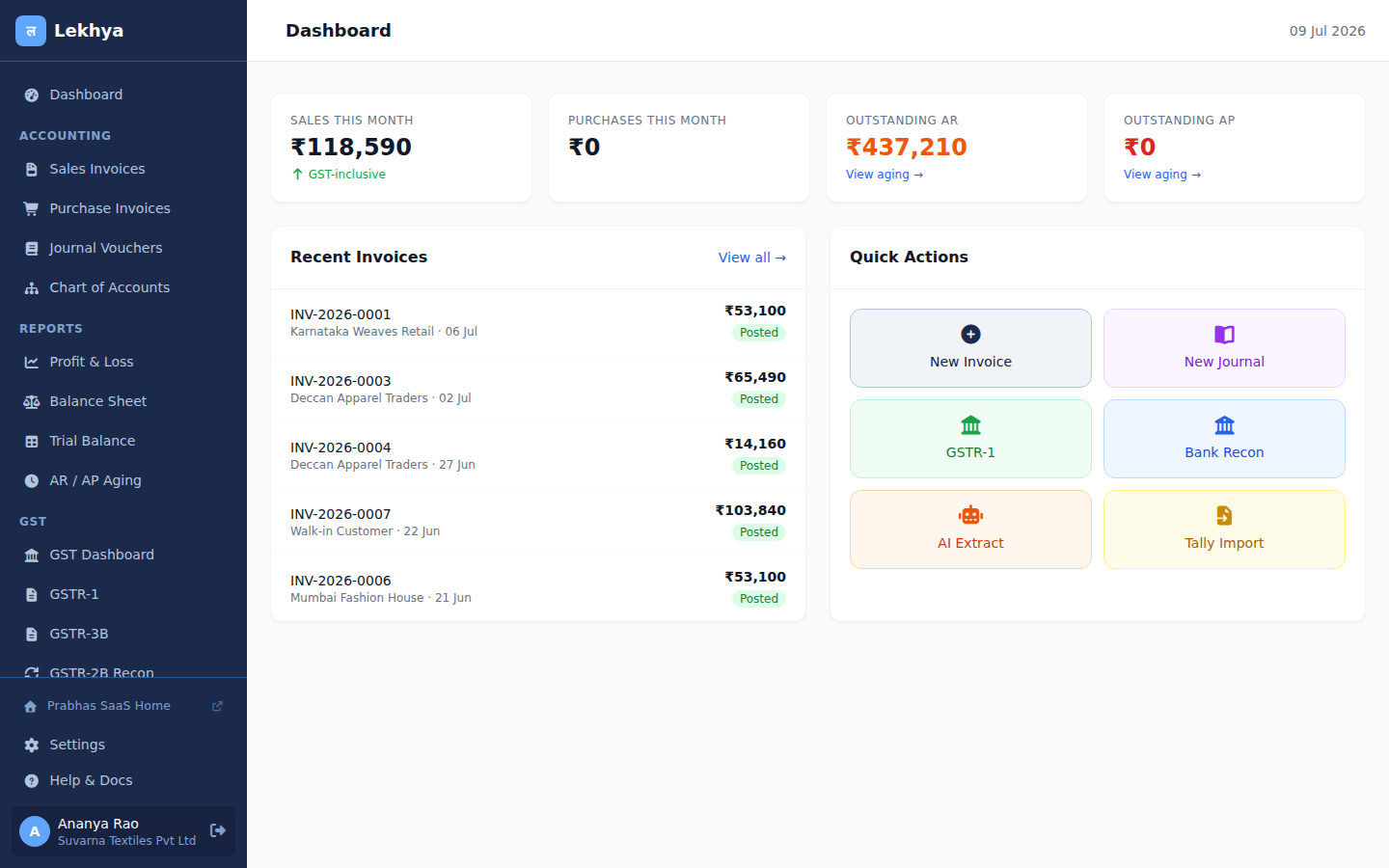
These are screenshots of the actual app running on demo data — not designs.
Seedha Bill Invoice → Lekhya Ledger
Mode A — Same Prabhas Account
Freelancer creates invoice in Seedha Bill
Toggle "Auto-sync to Lekhya" is ON in settings
Seedha Bill writes to shared Supabase table
Lekhya RPC polls the shared table (real-time)
Import Pipeline: normalize → dedupe → validate
If valid → Post invoice + journal entry
Source invoice LOCKED (Posted status). No re-submission.
Accounts updated: DR Receivable, CR Sales, CR GST Output
Mode B — Different Accounts (Token)
Accountant generates a Client Connection Token in Lekhya
Token has: scope, expiry, label, seat allocation
Freelancer pastes token in Seedha Bill → connection established
Each connection = 1 client-seat on accountant's plan
Seedha Bill webhook / REST API pushes invoices to Lekhya
Same pipeline: normalize → dedupe → validate → post
Token revoked? Sync stops immediately.
Connector health dashboard shows per-connection status
When validation fails → Quarantine Queue
→ Goes to Import Queue for manual review. Accountant fixes and approves. Invalid invoices NEVER enter the ledger.
Invoice → Double-Entry Journal → P&L / Balance Sheet
Sales Invoice ₹10,000 + 18% GST (CGST+SGST)
| Account | Debit | Credit | Why? |
|---|---|---|---|
| Accounts Receivable (1100) | ₹11,800 | — | Customer owes us this |
| Sales Revenue (4000) | — | ₹10,000 | Revenue earned |
| CGST Output Payable (2210) | — | ₹900 | GST we collect for Govt |
| SGST Output Payable (2220) | — | ₹900 | GST we collect for Govt |
| TOTAL | ₹11,800 | ₹11,800 | ✓ Balanced |
P&L Impact
Revenue ↑ ₹10,000 (taxable amount, excluding GST)
GST collected is NOT revenue — it's a liability payable to govt.
Balance Sheet Impact
Assets ↑ ₹11,800 (AR)
Liabilities ↑ ₹1,800 (GST Payable)
Equity ↑ ₹10,000 (via retained earnings)
When Payment Received
DR Bank ₹11,800
CR Accounts Receivable ₹11,800
AR zeroed. Bank balance increases.
Purchase Invoice ₹5,000 + 18% GST (Interstate → IGST)
| Account | Debit | Credit |
|---|---|---|
| Purchases (5000) | ₹5,000 | — |
| IGST Input Credit (1230) | ₹900 | — |
| Accounts Payable (2100) | — | ₹5,900 |
| TOTAL | ₹5,900 | ₹5,900 |
IGST Input (₹900) can be offset against IGST/CGST/SGST Output liability in GSTR-3B.
GST Compliance Flow
Monthly Filing Cycle
Create & post GST invoices (CGST/SGST or IGST auto-selected based on state)
E-invoice: if turnover > threshold, generate IRN via GSP gateway
E-way bill for goods movement > ₹50,000
At month end: Generate GSTR-1 (outward supplies)
Import GSTR-2B (inward supply ITC statement from GST portal)
Run GSTR-2B Reconciliation: match purchase invoices vs 2B
Resolve mismatches, then file GSTR-3B (net tax payable)
Pay GST liability after adjusting ITC
GST Rate Engine Logic
HSN/SAC code in each line item → rate engine auto-picks the applicable rate from the rate master.
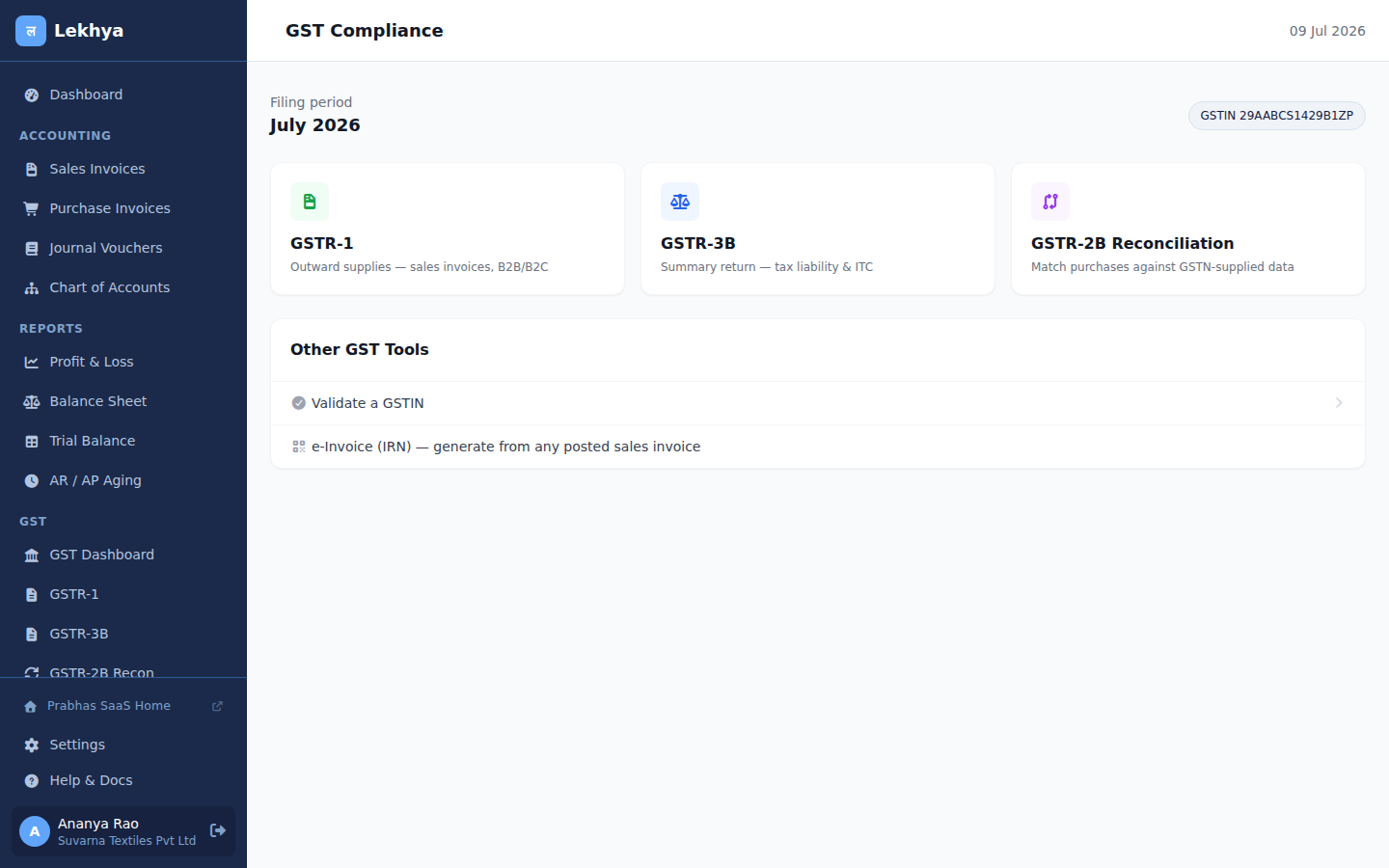
GST Dashboard — one place for every return
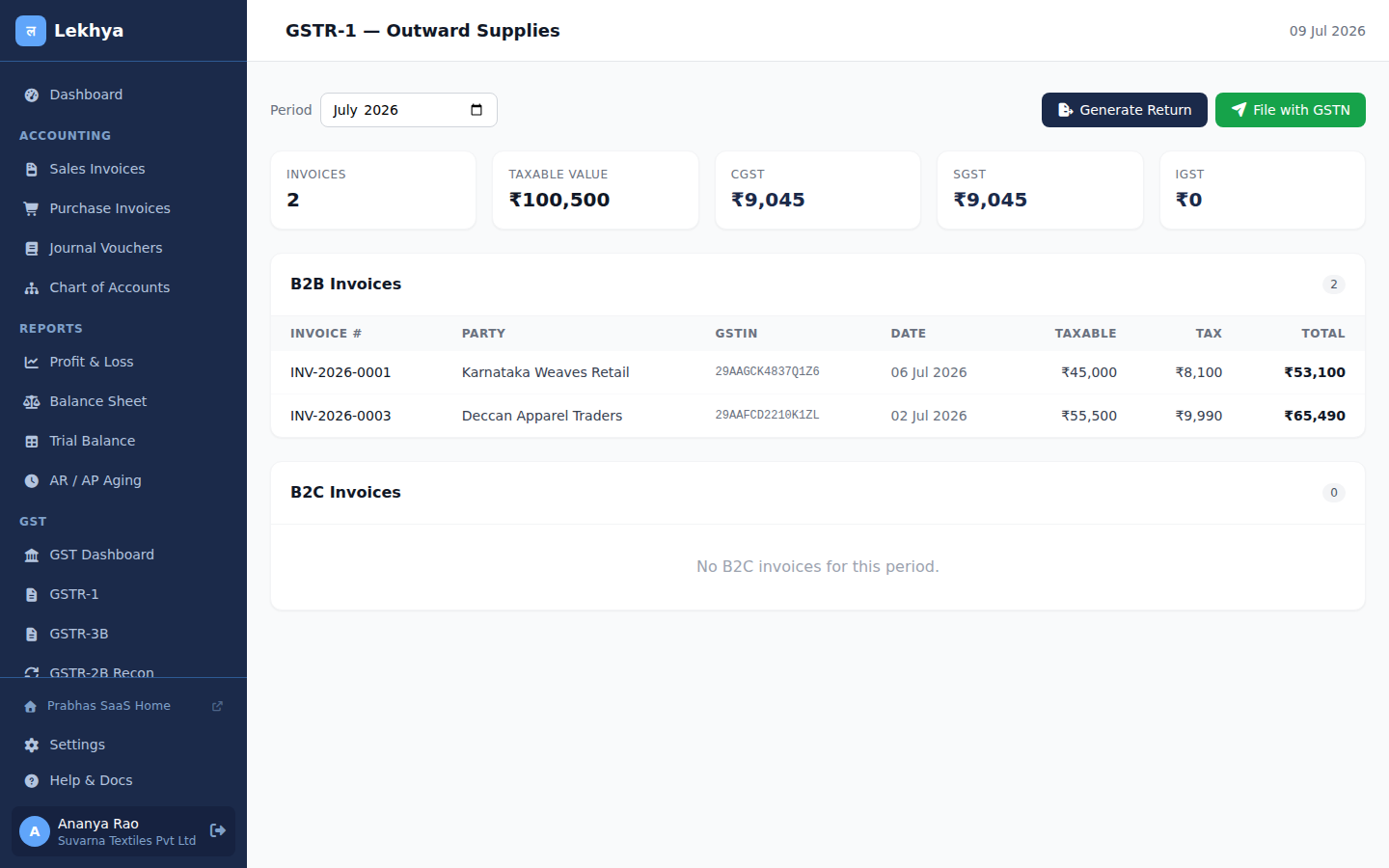
GSTR-1 — auto-computed from posted invoices
Bank Passbook Reconciliation Flow
Setup bank account
Add your bank in Banking → Bank Accounts. Link to a Ledger account (e.g. Current Account 1410).
Download passbook
From your bank: download statement as CSV. Most banks (SBI, HDFC, ICICI, Kotak) offer CSV/XLS export.
Upload CSV
Go to Banking → Import Passbook. Map columns: Date, Description, Debit, Credit, Balance. Set header rows to skip.
Auto-import
Lekhya reads each row and creates BankTransaction records. Duplicate rows (same date+amount+description) are skipped.
Match transactions
Compare bank transactions against journal entries. AI suggests matches based on amount, date, and description similarity.
Mark cleared
Click "Match" to link a bank row to a journal entry. Status changes to Reconciled.
Resolve differences
Unmatched bank credits → create receipt voucher. Unmatched debits → create payment voucher. Bank charges → post to Bank Charges account.
Complete reconciliation
Enter closing balance from bank statement. Lekhya confirms book balance = statement balance. Lock the reconciliation.
Supported CSV Formats
AI-Assisted Accounting Flow
AI Rule: AI NEVER writes to the ledger. It only PROPOSES — a human must approve every AI suggestion.
Invoice Extraction
PDF/Image → AI reads → Draft invoice created → Accountant reviews & corrects → Posts to ledger
Account Auto-Coding
AI looks at line item description → suggests ledger account → accountant approves or corrects → System learns from corrections
GSTR-2B Matching
AI fuzzy-matches purchase invoices against 2B data → highlights mismatches → accountant reconciles
Bank Line Matching
AI matches bank transaction to journal entry by amount + date + description similarity → suggests match → human confirms
NL Queries
Type: "What are total sales in April?" → AI generates safe SQL → returns table/number → user can export
Anomaly Detection
AI flags duplicate invoices, out-of-pattern amounts, unusual vendor patterns → flagged for human review only
Lekhya Pramaan — CA Edition Flow
Tax Audit (3CD) Workflow
Staff prepares draft 3CD from books
CA reviews — flags issues, requests corrections
Corrections made (revision cycle)
CA generates UDIN from ICAI portal
CA signs report with DSC
Firm-branded PDF generated with letterhead
Working papers attached to audit vault
Report delivered to client
Multi-Client Practice Dashboard
Compliance Calendar
All clients' GST/TDS/ROC/Audit due dates in one view. Color-coded: Green=done, Orange=due soon, Red=overdue.
Bulk GSTR-2B Recon
Run reconciliation for all connected clients in one click. Exceptions flagged per client.
Notice Tracker
Track GST/IT notices per client. Response due dates, status, document vault.
White-label Reports
Firm logo, letterhead, and digital signature on all reports. Client-facing PDF looks like your own firm output.
Tally ERP → Lekhya Migration Flow
Step-by-Step Guide
Export from Tally
In Tally Prime: Gateway → Data → Export → XML format. Select "All Masters + All Vouchers". Choose the period you want to migrate.
Upload to Lekhya
Go to Accounting → Tally Migration. Upload the XML file. Lekhya parses and shows a preview: X ledgers, Y vouchers found.
Preview & review
Review the mapping table. Lekhya shows how Tally Groups map to Lekhya account types. Check for any flagged errors.
Run import
Click "Start Import". Lekhya imports all ledgers as accounts, parties as vendors/customers, and vouchers as journal entries.
Verify trial balance
After import, run Trial Balance. Compare with Tally's trial balance. They should match to the last rupee.
Post opening balances
Lekhya auto-creates opening balance journal from Tally's opening balances. Verify asset/liability totals.
What gets migrated
Tally XML Export Quick Guide
- Open Tally Prime → Gateway of Tally
- Press F1 → Help → TallyPrime Data Exchange
- Or: Data → Export → Choose XML format
- Select company, period, and "All" for data
- Save as .xml file → Upload to Lekhya
The import, screen by screen
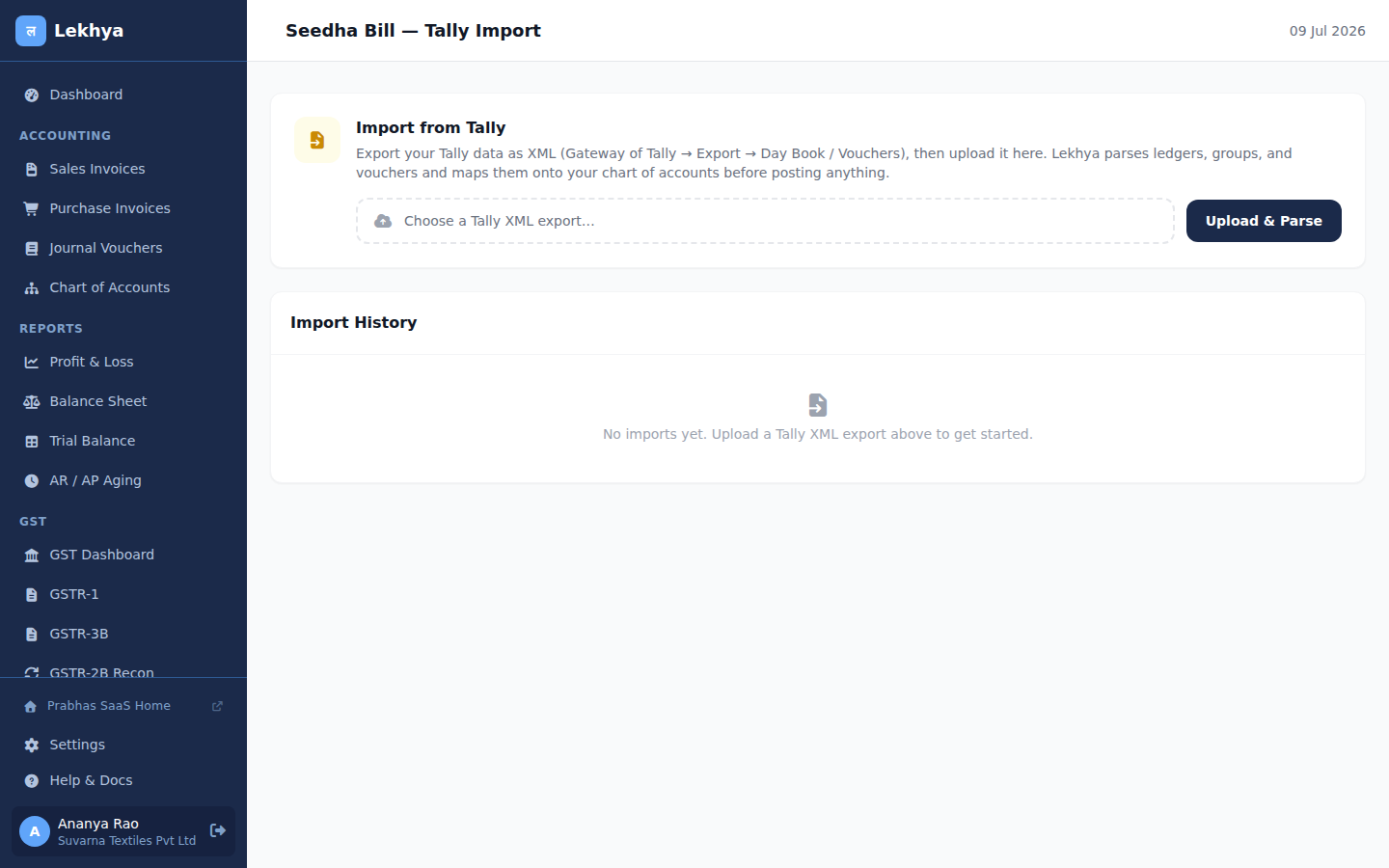
1. Upload your Tally XML export
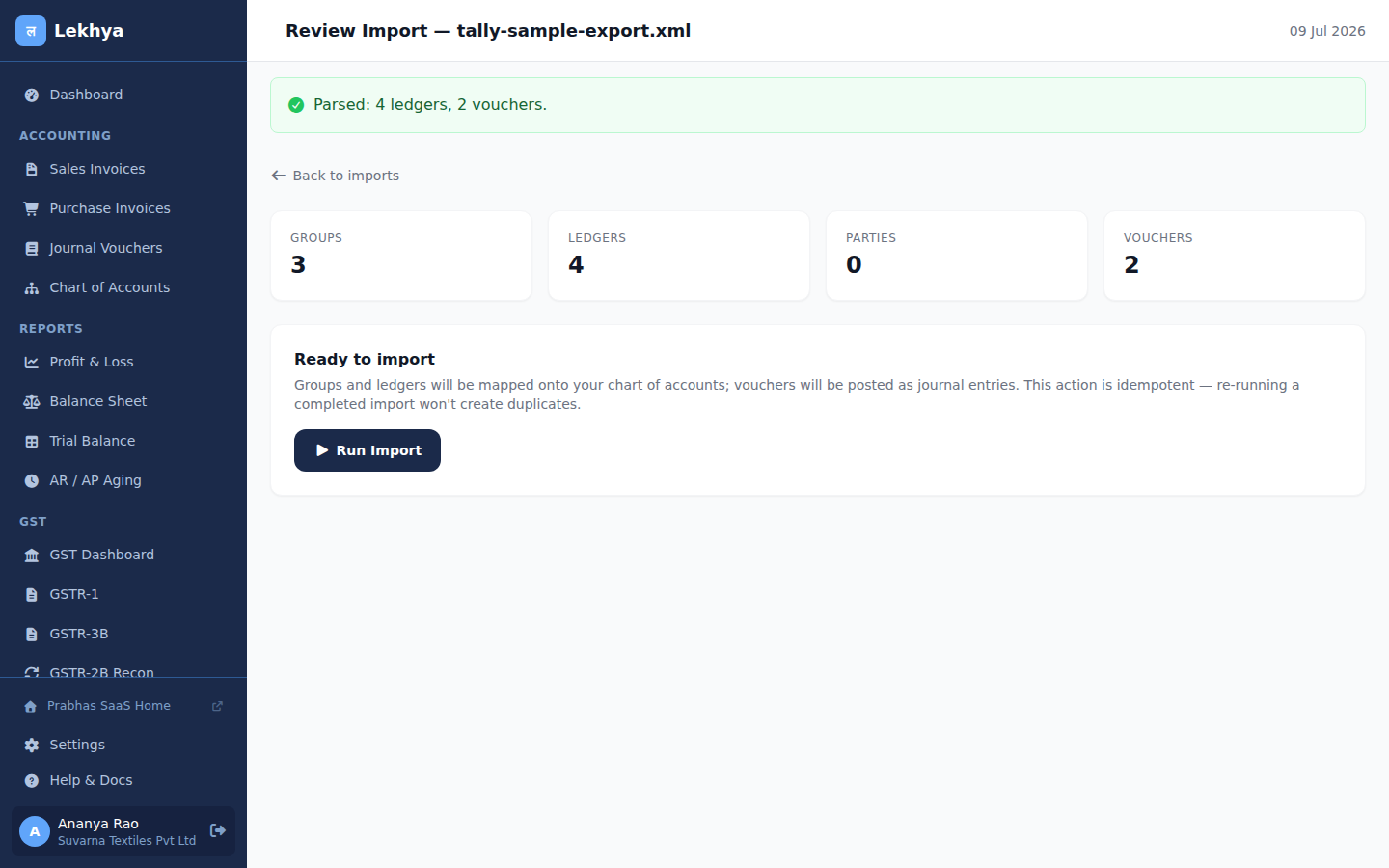
2. Review the parsed counts before anything posts
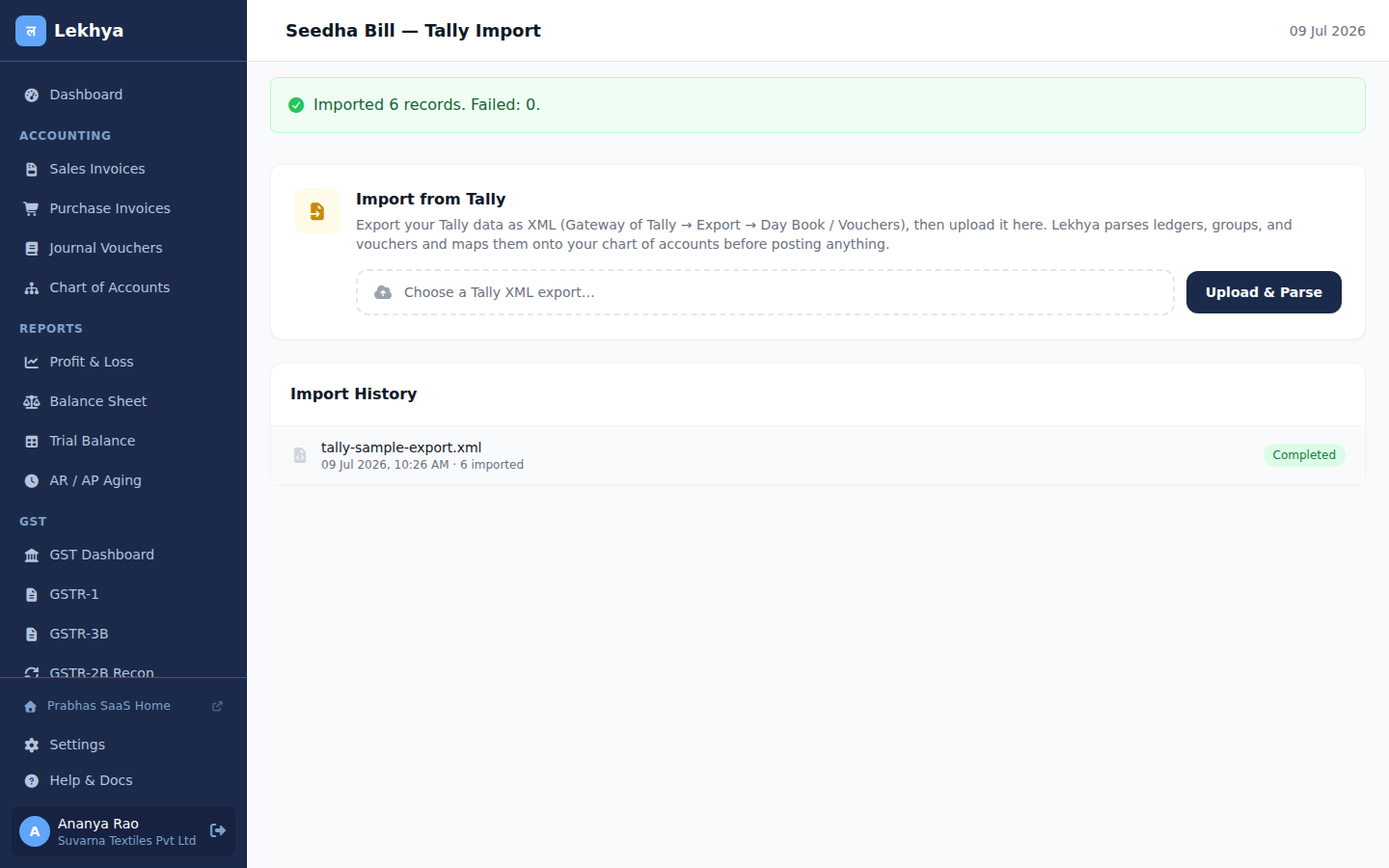
3. Done — imported records logged in history